Connect data
Bring every number in, however it lives today.
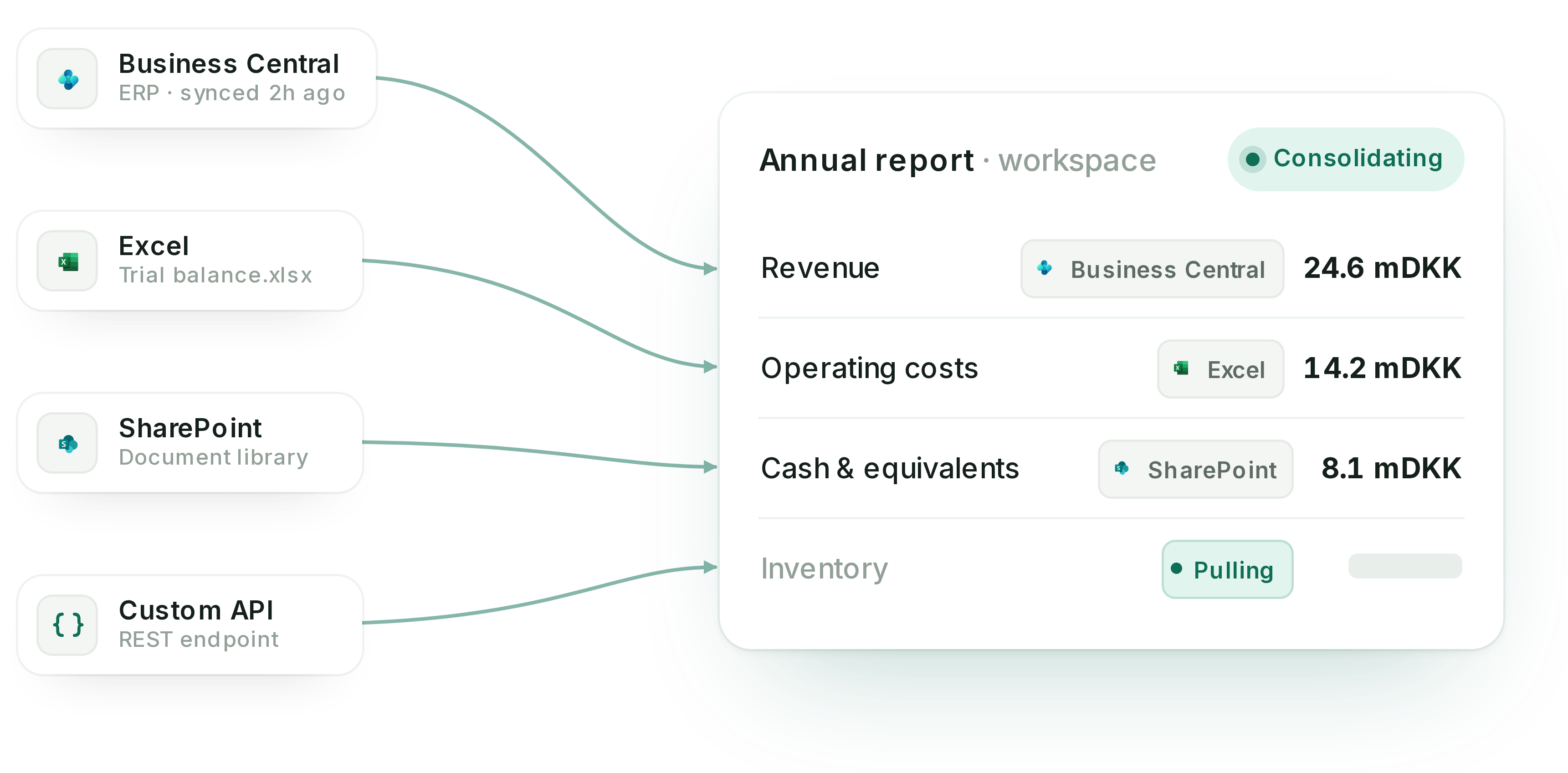
Reporting data rarely starts in one place. It sits in your ERP, your accounting system, cloud drives, and the spreadsheets your team already files from. Before real reporting work begins, someone has to gather it, reconcile it, and confirm it is current.
Statera gives you three ways in. Connect your systems directly, import the spreadsheets you already work in, or push data through the API. However it arrives, it lands in one workspace, ready to become controlled report content.
Live connections
Connect to the systems your numbers live in.
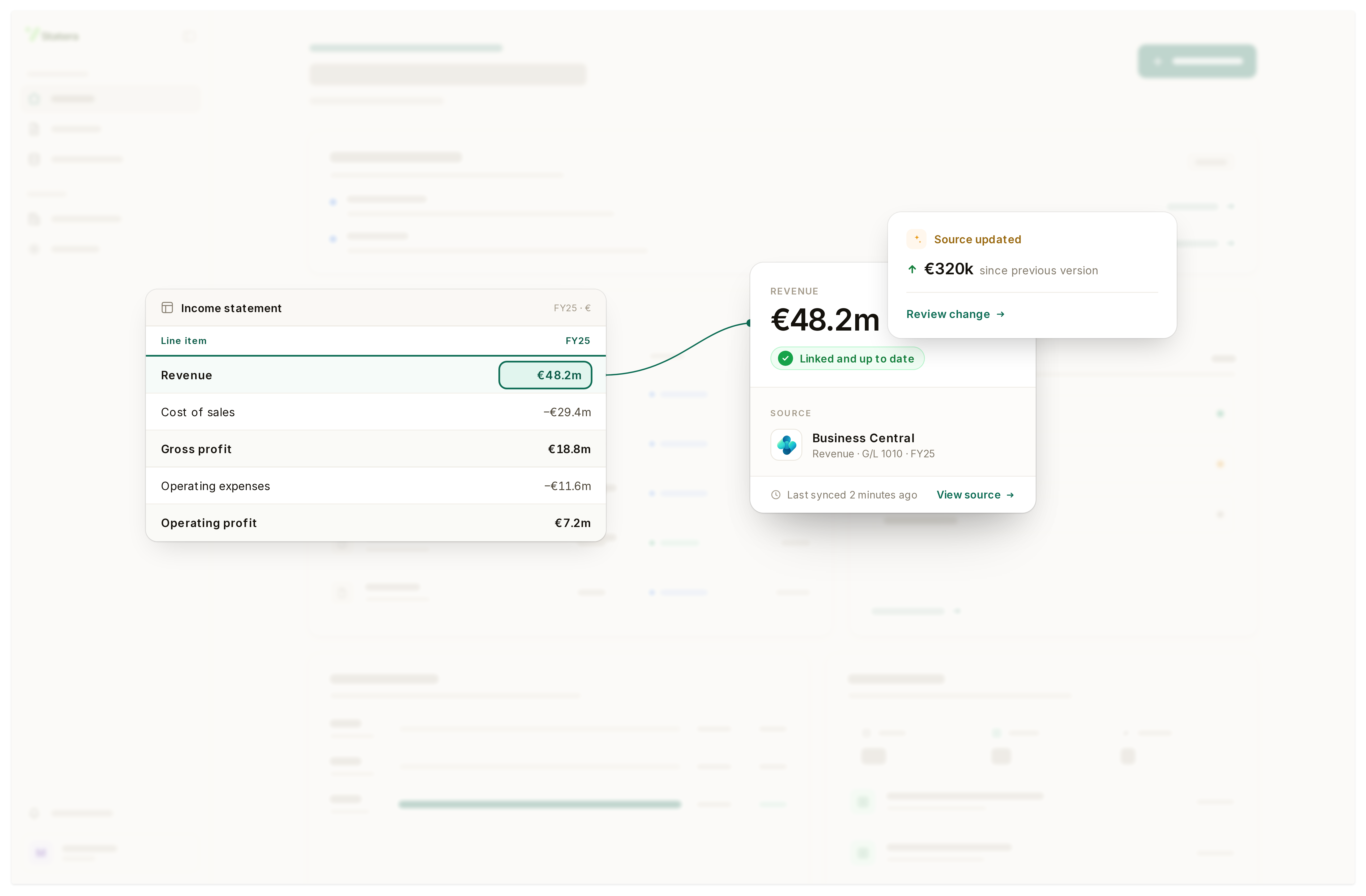
Link Statera directly to your ERP, accounting system, and cloud drives. Once a connection is authorized, figures flow in from the system of record, scoped to the entities and ledgers you choose.
Unlike a one-time export, a connection stays live. The data refreshes on its own, so the numbers in your report are the current ones and not a snapshot someone pulled last week. No re-exporting, and no chasing the latest version.
Excel import
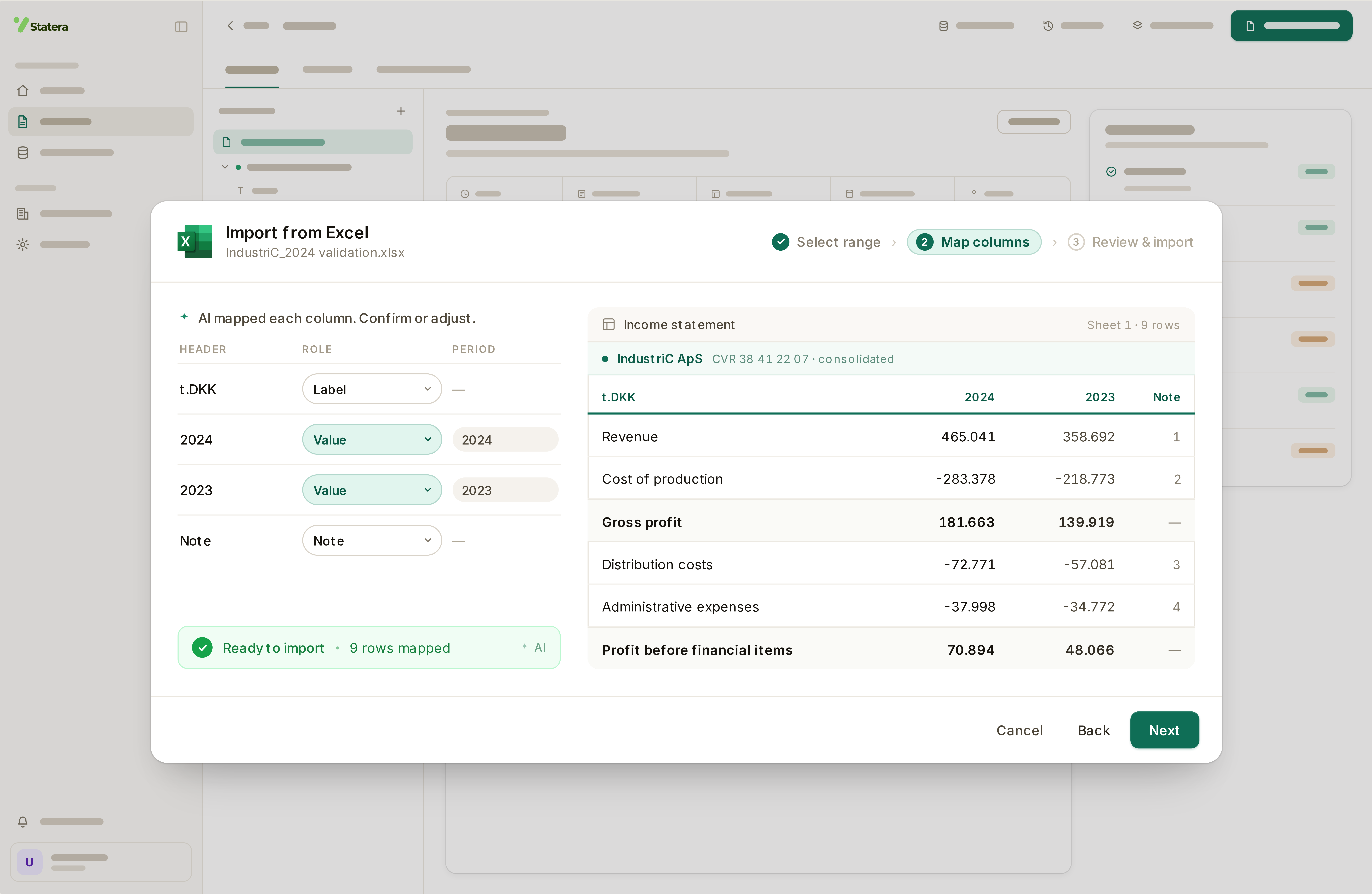
Most filing still runs through Excel. So that's where we started.
Trial balances, schedules, multi-entity workbooks that never look the same twice - much of the reporting process still lives in Excel. Statera reads it as it is, however messy.
Point Statera at the sheet and it proposes the structure: labels, periods and entities mapped to your report model. You review and reconcile every value before anything is created, nothing lands in the report until you confirm, and built-in checks flag what's missing before import, not after. Next cycle, the mapping is already remembered.